GTA Loading Screen AI Generator
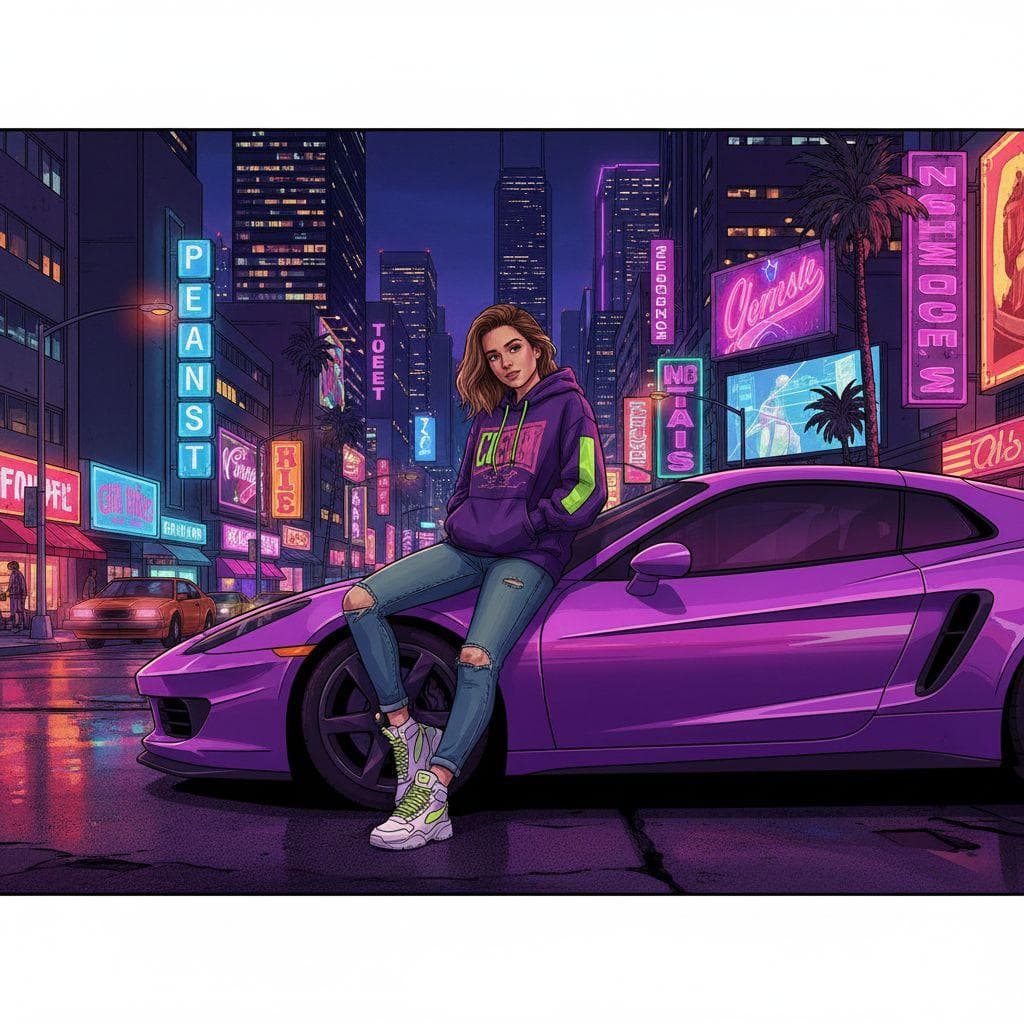
Upload one photo and PrankAI redraws the person as GTA V loading screen art: bold outlines, saturated cel-shaded color, streetwear, leaning on a sports car in front of a neon city. The result is a wide banner, the shape of the real loading screens.
No download required · Works in your browser · Ready in seconds

Make the GTA Loading Screen
Takes about fifteen seconds and one photo.
No password. We email you a code.
If you already have an account, we will log you in.
How the GTA Loading Screen Works
The AI keeps the face and builds the rest from the GTA art style. You do not need a prompt, a game screenshot or an art app. The pose, the car and the city are part of the template.
Who to Put on the Screen
The least likely person works best: a parent, a teacher, a coworker who drives a minivan. The banner shape also fits a Twitter header or a YouTube banner.
How to make a gta loading screen prank
- 1
Upload a photo
Pick any selfie or a picture of a friend. PrankAI works best with a clear, well-lit view of the face.
- 2
Let the AI generate it
Our AI builds a realistic, high-resolution result in seconds — no design skills or editing software needed.
- 3
Share the prank
Download your creation or send it straight to TikTok, Instagram, iMessage, or the group chat.
GTA Loading Screen questions
- How do I make a GTA loading screen of myself?
- Upload a clear photo of one person and press Create. The result is a GTA V style illustration of that person in a wide banner.
- Which GTA style is it?
- GTA V: bold outlines, cel shading, saturated color and a neon city at night.
Ready to try the GTA Loading Screen?
Upload a photo and let PrankAI do the rest. Your prank is seconds away.
Make the GTA Loading Screen
Takes about fifteen seconds and one photo.
No password. We email you a code.
If you already have an account, we will log you in.


